
OBD Switch Guide
Introduction
The OBD Switch is required to download EDR data from select Alfa Romeo, Fiat, Jeep, Maserati, and RAM vehicles (see below for details). If our CrashScan app instructed you to use the OBD Switch, please continue reading to learn how to connect it to a vehicle.
Warning: Do NOT attach the OBD Switch unless the vehicle you are scanning is listed below. Failure to do so can result in scan errors.
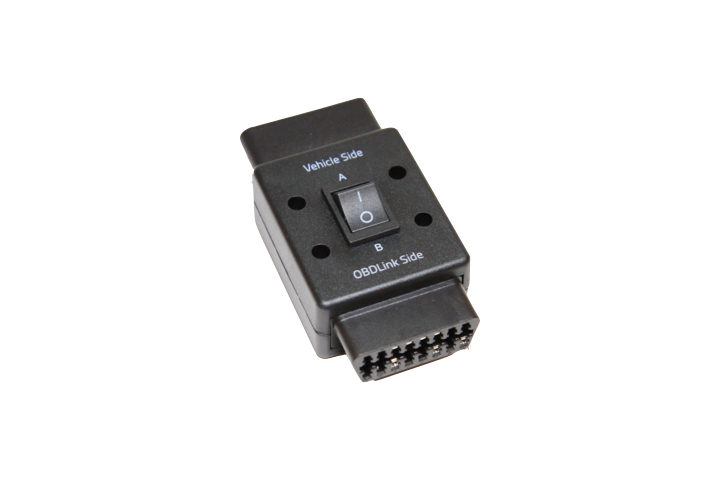
Applicable Models
| Alfa Romeo | 4C | 2015 - 2021 |
|---|---|---|
| Alfa Romeo | Giulia (952) | 2017 - 2018 |
| Alfa Romeo | Stelvio | 2018 |
| Fiat | 500 | 2012 - 2019 |
| Fiat | 500L | 2014 - 2020 |
| Fiat | 500X | 2016 - Present |
| Jeep | Compass | 2017 - Present |
| Jeep | Renegade | 2015 - Present |
| Maserati | Granturismo | 2015 - 2020 |
| RAM | Promaster 1500/2500/3500 | 2014 - Present |
| RAM | Promaster City | 2015 - Present |
How to Connect
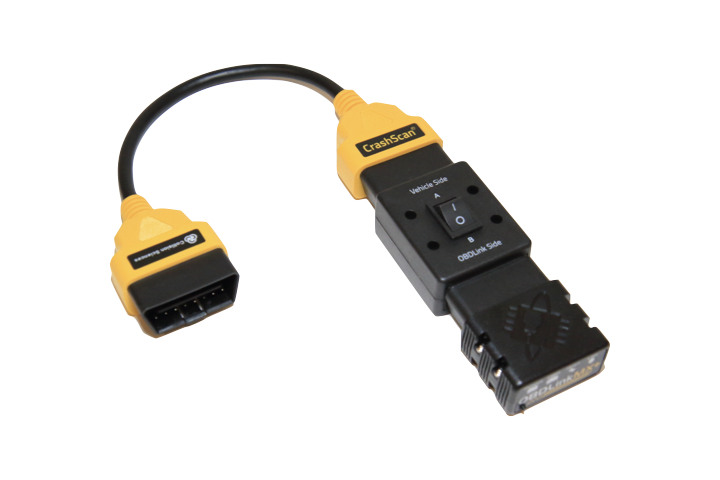
If you have the yellow extension cable from our EDR Kit:
- Remove the OBDLink MX+ from the yellow extension cable.
- Attach the OBD Switch to the yellow extension cable.
- Attach the OBDLink MX+ to the OBD Switch.
The completed assembly should be as shown in Figure 2. Attach the entire assembly to the vehicle, then start the CrashScan app. The app will advise the position to use for the particular vehicle you are scanning.
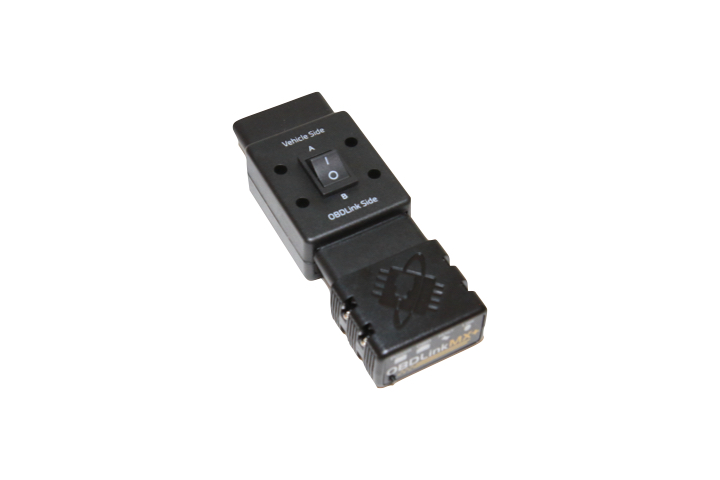
If you do not have the yellow extension cable from our EDR Kit:
- Remove the OBDLink MX+ from the vehicle.
- Attach the OBDLink MX+ to the OBD Switch.
The completed assembly should be as shown in Figure 3. Attach the entire assembly to the vehicle, then start the CrashScan app. The app will advise the position to use for the particular vehicle you are scanning.
If you encounter any issues, please send an email to support@collisionsciences.ca